| Cross section
pen and linetype |
Click on the pen button to change the pen you
want the cross section drawn in. Select the linetype you want the cross
section drawn in from the drop down list. |
| Section pen
and linetype |
Click on the pen button to change the pen you
want the section line drawn in. Select the linetype you want the section
line drawn in from the drop down list. |
| Left
foundation dimensions |
|
| Left floor to
ground height |
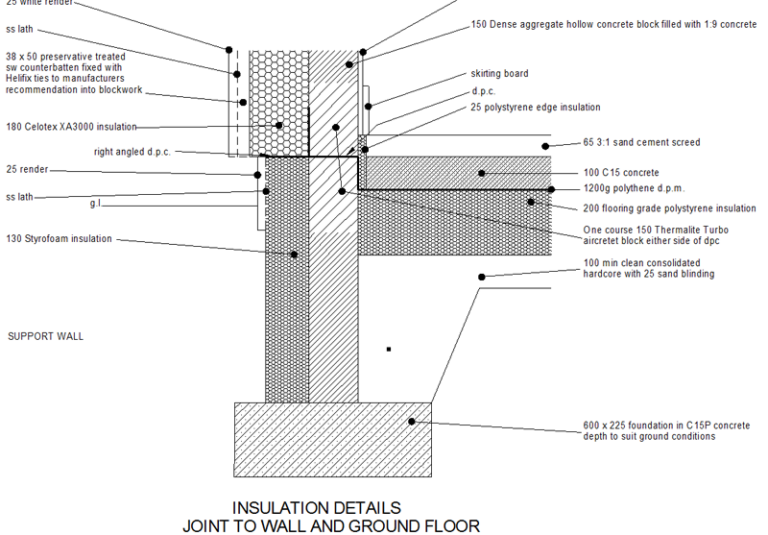
Enter the left floor to ground height. This is
the height is measured from the floor to the ground level (indicated by a
solid line projecting outwards from the left truss) for the left side of the
foundation. |
| Left floor to
foundation height. |
Enter the left floor to foundation height. This
is height measured from the floor to the top of the foundation (indicated by
a rectangle at the base of the left side of the cross section). |
| Left
foundation height |
Enter the height of the left foundation
(indicated by a rectangle at the base of the left side of the cross
section). |
| Left
foundation width |
Enter the width of the left foundation
(indicated by a rectangle at the base of the left side of the cross
section). |
| Right
Foundation Dimensions |
|
| Right floor to
ground height |
Enter the right floor to ground height. This
height is measured from the floor to the ground level (indicated by a solid
line projecting outwards from the left truss) for the right side of the
foundation. |
| Right floor to
foundation height |
Enter the right floor to foundation height.
This height is measured from the floor to the top of the foundation
(indicated by a rectangle at the base of the right side of the cross
section). |
| Right
foundation height |
Enter the height of the right foundation
(indicated by a rectangle at the base of the right side of the cross
section). |
| Right
foundation width |
Enter the width of the right foundation
(indicated by a rectangle at the base of the right side of the cross
section). |
| Slab width |
Enter the slab width of the floor. |
| Truss |
|
| Strut spacing |
Enter the spacing between the truss struts. |
| Strut width |
Enter the width or thickness of the truss
struts. |
| Batton width |
Enter the truss batton width. |
| Support truss
width |
Enter the truss support width. |
| Cross section
layers |
|
| Vertical cross
section |
Select the layer form the layer drop down list
or add a layer by typing it in the editable drop down list. This is the
layer on which the vertical cross section will be drawn. |
| Horizontal
cross section |
Select the layer form the layer drop down list
or add a layer by typing it in the editable drop down list. This is the
layer on which the horizontal cross section will be drawn. |
| Arrow head
dimensions |
|
| Arrow head
length |
Enter the section line arrow head length |
| Arrow head
width |
Enter the section line arrow head width |
| Label |
|
| Increment
label |
Check this if you would like the label name
incremented for each section. E.g. A, B, C etc |
| Label name |
Enter the label name here. This should be one
character only. |
| Label text
height |
Enter the height of the label text. |